-
Written By Eva Shirley
-
Approved By Shivam Rathore
-
Publish on October 6th, 2026
-
Reading Time: 8 minutes
Proven Microsoft 365 Migration Tools for Enterprise Business & IT Admins

Summary: Businesses transfer their mail, files, and Teams data from one Microsoft 365 tenant to another. A common problem in this migration is mailboxes with empty folders or OneDrive links that are not valid. Administrators handle all of these, as they are responsible for a complete and smooth workload migration. Therefore, it becomes important to choose the best from the available Microsoft 365 migration tools. IT teams that want both a trustworthy and affordable professional migration tool prefer to choose the Aryson Tenant-to-Tenant Migration Tool. It facilitates migration of mailboxes, SharePoint sites, OneDrive documents, and Teams channels across platforms
Why Does A Dedicated Migration Tool Become Necessary
It is also possible to move a tenant from one to the other via native ways. However, this may only be on a small scale. These organizations work on a larger scale and manage multiple users and employees working under them. To handle all this efficiently, operations need advanced identity mapping, data separation, and collaborative data that are not natively supported.
Consequently, administrators have to resort to various approaches, with each one being complicated and requiring their own sets of preparations. Additionally, they have to keep the scripts in good condition to ensure they don’t have any faults during bulk migration. Using an Office 365 tenant migration tool avoids having to go through all of this.
What to look for in Microsoft 365 Migration Tools?
An ideal migration tool should consist of these features. The points below address those features that determine if a tool is a suitable choice in practice.
- Migration scenario: Every tenant migration tool is designed with a different purpose. For example, some professional tools only perform tenant-to-tenant migration, and others migrate files between clouds. The one that fits for you is determined by the scenario and your needs.
- Workload coverage: Depending on the scenario, users should confirm which of the four main workloads are supported: mailboxes, OneDrive, SharePoint, and Teams. Then, after that, they should look for the details on what each method actually provides. For example, whether the Teams workloads, including Teams channels, files, Planner, etc., are converted or not.
- Identity and user mapping: A professional tool allows users to map the source tenant to the destination tenant in the tool itself. whereas. other tools require a premade mapping to the destination object first. This is approachable, but it requires a lot of time and effort.
- Monitoring Screen: Users should get a dedicated dashboard to see activity logs and allow exporting file reports. This helps administrators find missed files early and gives the project a record for audit purposes.
- Incremental migration: The ability to repeat migration that transfers only new items makes a phased cutover practical and keeps user disruption low.
- Experience to use this tool: Not all Microsoft tenant-to-tenant migration tools are easy to use. Some tools require an experienced user, while others provide instructions to their user. Other variations, including batch limits and complexity of initial setup, also vary based on the size of the migration.
- Licensing Model: All specialized tools have their own licensing model. They have subscription-based licensing models, usage-based pricing, and many modes. While some of the pricing may differ from others, some will be more expensive per user (for presentation, monitors, etc.).
Top 4 Best Microsoft 365 Migration Tools For Enterprises and IT Teams
There are several migration tools to successfully migrate a tenant from a source location to a destination location. In this section, we will look at some of the top Office 365 tenant migration tools available.
Aryson Tenant-to-Tenant Migration Tool
The Aryson Tenant-to-Tenant Migration Tool is a PowerShell script-free, Graph API-based tool used by enterprise administrators. This tool migrates email, attachments, calendars, contacts, and licensed shared mailboxes of the Exchange Online mailbox. It also migrates files and folders along with metadata from OneDrive, SharePoint Document Libraries & Sites, channels, and messages from Teams. Copying existing Teams as new Teams and copying existing channels into existing Teams is also possible.
Best for: Enterprises and IT administrators who need mailboxes, OneDrive, SharePoint, and Teams in one tool during mergers, consolidations, or restructuring.
Some Key Features Of This Microsoft 365 Tenant Migration Tool
- Apply date range Choose start and end dates to migrate workloads within that range.
- Maintain folder structure: After migration, your mailbox folder structure and the file hierarchy of tasks and calendars remain the same.
- Migration option: Users can migrate their mailboxes either into mapped default folders or into custom folders.
- Skip previous import files: You can enable this option only to import new files and skip previously imported files.
- Monitoring panel: It allows you to see overall progress and performance metrics of your migration.
Steps To Migrate A Tenant Using This Tool
Follow the points below to migrate your source tenant to the destination tenant without any issues.
- Download and install the Aryson tenant-to-tenant migration tool.
- Choose the migration mode from the home screen.
- Connect your source tenant account and select the required mailboxes.
- Then, click Proceed and connect your destination tenant account.
- Click Continue mailbox mapping and apply desired filters.
- Now, click Continue and let the migration process complete.
- After a successful migration, verify your destination tenant.
Note: In both of the above sections, we learned about features and limitations of this tool. However, it has more to offer. Users can go through our software guide to know more about the capabilities and uses of this tool.
Microsoft Migration Manager
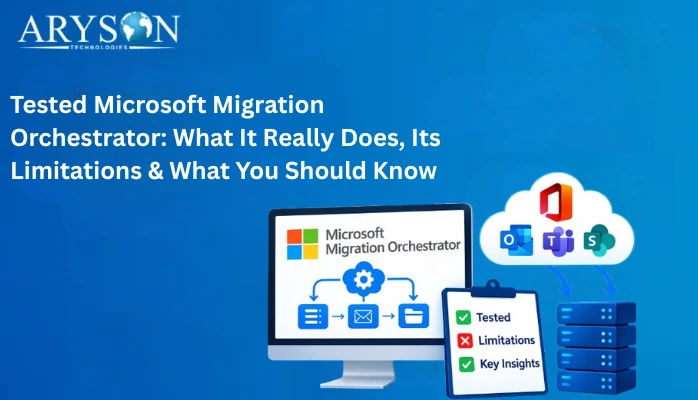
Most of the time, administrators’ first choice is Microsoft’s own tool, Migration Orchestrator. It’s always best to get an overview of Microsoft Orchestrator and know how it works properly to avoid any issues. In this way, it eliminates any need to depend on any other dedicated migration tool. With the help of this native tool, users can migrate mailboxes, OneDrive accounts, and Teams chats and meetings in batches.
Key Highlights of the Native Tool
- Alongside simple migration, it also supports single-event, phased migration.
- This native tool can support batch sizes up to 2000 mailboxes or 100 users for Teams chat.
- Its scope excludes SharePoint sites, Teams channels, Microsoft 365 Groups, Planner, and Forms.
MigrationWiz by BitTitan
As one of the oldest migration platforms for cloud service providers, Migration Wiz is used by numerous cloud providers. It supports Microsoft 365, Google Workspace, Exchange, IMAP, and many other items.
Key Pointers of MigrationWiz
- It can handle different content types through separate workflows.
- In this tool, licensing is per user, and the configuration options are extensive.
- Users often praise its flexibility while stating that to use the tool properly, it requires a steep learning curve.
Quest On-Demand Migration
Quest On-Demand Migration is usually assessed by bigger companies with complicated tenant-to-tenant migration needs. It offers formal discovery, coexistence, and migration management with enterprise-level management capabilities. Quest On Demand has been developed by Quest Software. This is used by IT teams only when data is in large quantities.
Key Points of This Tool
- It’s capable of migrating a large number of files and requires a lot of configuration.
- Migrating smaller projects would be time-consuming, as the depth of planning it requires to set up is huge.
A Quick Glance At The Mentioned Microsoft 365 Migration Tools
|
Tool |
Best suited for |
Main coverage |
Pricing model |
|
Aryson Tenant to Tenant Migration Tool |
Enterprises needing all workloads in one tool |
Mailboxes, OneDrive, SharePoint, Teams |
Paid license, free demo available (can migrate up to 500 mailboxes per folder) |
|
Microsoft Migration Orchestrator |
Teams with strong Microsoft expertise and a narrow scope |
Mailboxes, OneDrive, Teams chats, and meetings |
Depends on a per-user add-on license. |
|
MigrationWiz |
Microsoft service providers and experienced IT teams |
Mailboxes, files, Teams, and many other sources |
Uses a per-user license model. |
|
Quest On Demand Migration |
Large or regulated enterprises |
Complex tenant-to-tenant programs with coexistence |
It also follows a per-user and per-account licensing model. |
Conclusion
There are many Microsoft 365 migration tools, but selecting the best one among them relies on admins’ needs. Both native and professional tools are suitable choices. But one particular tool might not meet all of the needs. This is because each tool is associated with certain limitations that need to be known before choosing them. However, for a large organization with extensive needs, dedicated tools are best. Therefore, it is recommended to use the Aryson tenant-to-tenant migration tool. In such scenarios where an organization requires proper mapping along with a monitoring process, they can opt for this tool.
Frequently Asked Questions
Q1. Can Microsoft 365 migration tools migrate emails, contacts, calendars, and attachments?
Ans. Yes. Most dedicated tools migrate emails, attachments, contacts, and calendar items along with the folder structure. Microsoft’s native mailbox migration moves user-visible content, email, contacts, calendar items, tasks, and notes. Aryson’s tenant-to-tenant migration tool also migrates licensed shared mailboxes and lets administrators include, exclude, or customize attachment transfer.
Q2. How do I choose the right Microsoft 365 migration tool for my business?
Ans. First, it’s important to identify the needs. Start by assessing the situation, then assess workload coverage, map users, incremental support, monitoring, and cost. Match the project size as well as the team’s experience level. Also, always include preparation and verification time when checking the price of the tool.
Q3. Which Microsoft 365 migration tools support incremental migration?
Ans. The Aryson Tenant-to-Tenant Migration Tool supports incremental runs through its Skip Previously Migrated Data option. This transfers only new or missing items on repeated migrations.
Q4. How can IT teams monitor Microsoft 365 migration progress?
Ans. A dedicated migration tool provides dashboards, activity logs, and reports. In the Aryson tenant-to-tenant migration tool, a centralized dashboard shows progress and migration reports that help administrators to verify results. Reviewing these outputs after every pilot and batch eliminates problems.
Q5. Which migration tool is best for MSPs managing multiple Microsoft 365 tenants?
Ans. The Aryson Tenant-to-Tenant Migration provides bulk processing and an interface designed for administrators to handle mixed workloads. The best choice depends on migration size, workload type, and the amount of configuration done.
About The Author:

Eva Shirley is a skilled technical content writer with expertise in creating engaging and informative content. With over 5 years of experience and a passion for writing, she has solved many users' queries by providing quality content.
Related Post