-
Written By Eva Shirley
-
Approved By Mithilesh Tata
-
Updated on February 10th, 2026
-
Reading Time: 4 minutes
Import OLM to Yahoo Mail – Quick & Easy Method

Summary: Email transfers from one platform to another can be difficult when their file formats are not similar. Outlook for Mac stores the mailbox data in OLM files, while Yahoo Mail is a web-based system and does not support direct import of OLM. Because of this gap, many users struggle to find a reliable way to move their emails. To solve this issue, we will discuss the simple methods to import OLM to Yahoo Mail & include the use of Aryson OLM File Converter for smooth & secure migration.
Reasons to Import OLM Files into Yahoo Mail
Below, we have discussed why users choose to move their OLM files from Outlook for Mac to Yahoo Mail:
- Users can access Outlook for Mac emails from any device using Yahoo Mail.
- You can keep your emails safe by storing them on a cloud-based platform.
- It helps in order to avoid dependency on Outlook for Mac or macOS systems.
- Moreover, you can take a secure backup of important OLM email data.
- Also, you can share & access emails anytime without local file limitations.
Approaches to Import OLM to Yahoo Mail
There are various approaches available to import your OLM files into Yahoo Mail, but for now, we will focus on two of the best and most commonly used methods to help you choose the right one easily.
01: Manual Process to Import OLM File to Yahoo Mail
The manual approach is a simple way for the process of migration to import your OLM files into Yahoo Mail. Here are the step-by-step instructions to follow the procedure:
- To begin, open Outlook for Mac >> File >> Import, and add your OLM file.
- After that, add your Yahoo Mail account using the correct credentials.
- Now, create a new folder under your Yahoo mailbox for imported emails.
- Next, select the emails or folders from your OLM file to move.
- At the end, drag and drop the selected emails into the new Yahoo folder.
- Now, repeat for other folders to make sure that all emails are synced online.
Drawbacks of the Manual Method
- It takes a lot of time if there are many emails.
- This approach works best only for a small number of messages.
- It may not always keep attachments or folder structure intact.
- Moreover, you need some knowledge of IMAP settings and Outlook for Mac.
- Also, there is a high chance of errors or missing emails.
Solution 02: Expert Approach to Import OLM to Yahoo Mail
Aryson OLM Converter is a reliable solution that simplifies the process of migration by moving Outlook for Mac OLM files to Yahoo Mail. This software helps users to convert OLM files into multiple formats and makes sure to maintain the original emails and folder structure. It also includes advanced filters such as data range filters and much more to make the process of migration smooth. Additionally, this software is versatile and also allows the users to import OLM to Gmail and other formats with ease.
Step-by-Step Guide to Transfer OLM to Yahoo Mail:
- Firstly, install and launch the Aryson OLM Converter >> Continue.
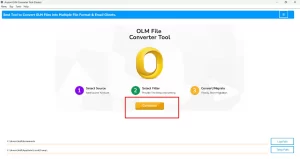
- After that, select the files/folders to add your .olm files. >> Next.
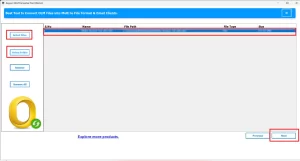
- Then, for the tree hierarchy, preview your data and click on the Next button.
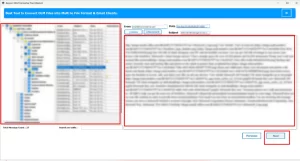
- Now, select Yahoo Mail as the output destination.
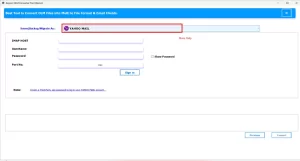
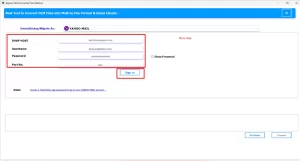
- After selecting, enter the requested credentials. >> Sign in.
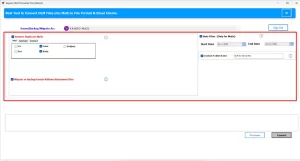
- In this step, you need to apply the various filters available as needed.
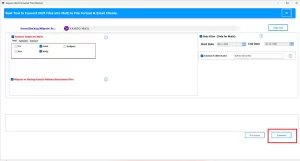
- At the end, press Convert to import Mac Outlook OLM files to Yahoo Mail.
Final Remark
In this blog, we discussed the process of moving your mail from Outlook for Mac to Yahoo Mail. Whether you choose the manual approach for a few emails or use the professional approach for safer migration, the process can be completed smoothly without any data loss. By choosing the right approach, you can save your time and avoid errors. You can also try the trial version of the discussed software to import OLM to Yahoo Mail that can import nearly 50 emails per folder. For any further assistance, you can reach out to our support team to complete your email migration efficiently.
Frequently Asked Question
Q.1. Do I need Outlook installed to import OLM to Yahoo Mail?
Ans: No, you don’t need Outlook for Mac installed. Aryson OLM Converter can directly read OLM files and migrate them to Yahoo Mail without requiring Outlook.
Q.2. Will my emails and attachments remain safe during the import?
Ans: Yes, while using the automated tool, your emails, attachments, and folder structure remain intact during the migration.
Q.3. Is technical knowledge required for importing OLM to Yahoo Mail?
Ans: Not really. You can use the Aryson OLM Converter easily. The interface is simple, and you can follow these short steps:
1. Install and launch the Aryson OLM Converter → Continue.
2. Select your OLM files or folders → Next.
3. Preview your data from the tree hierarchy → Next.
4. Choose Yahoo Mail as the destination and enter your credentials → Sign in.
5. Apply filters if needed (like date range or folder selection).
6. Click Convert to complete the import.
Q.4. Is there a free method to import OLM to Yahoo Mail?
Ans: There isn’t an official free method that guarantees a smooth and safe migration. Manual methods exist but are time-consuming and work best for a small number of emails. But for accuracy, you can also use the demo version of the professional software.
About The Author:

Eva Shirley is a skilled technical content writer with expertise in creating engaging and informative content. With over 5 years of experience and a passion for writing, she has solved many users' queries by providing quality content.
Related Post